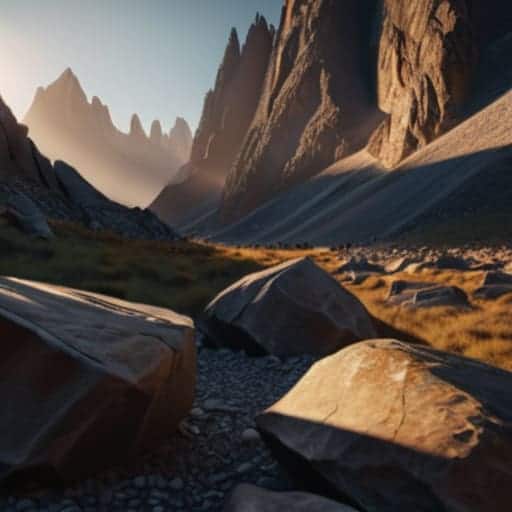
Ever sat there staring at a gorgeous sunset, only to realize your sensor turned the sky into a blown-out white void and the foreground into a muddy, black mess? It’s infuriating. We’re constantly told we need $5,000 lighting kits or “perfect” exposure settings to capture a scene, but that’s mostly just noise. The truth is, the real magic happens long after you’ve clicked the shutter. Mastering dynamic range compression in RAW isn’t about buying more gear; it’s about knowing how to reclaim the data that’s already sitting there, waiting to be rescued from those punishing shadows and highlights.
I’m not here to sell you a dream or walk you through a sterile, academic textbook. Instead, I’m going to show you exactly how I handle these files when the lighting is working against me. We’re going to skip the fluff and dive straight into the practical workflows that actually move the needle. I’ll show you how to compress that range without making your images look like a flat, lifeless mess, ensuring your photos keep their punch while finally showing the detail they deserve.
Table of Contents
Mastering Bit Depth and Sensor Data for Maximum Control

To get the most out of your compression, you have to stop thinking in terms of “brightness” and start thinking about the raw math happening inside your sensor. This all comes down to bit depth and sensor data. When you’re shooting in a 14-bit RAW format, you aren’t just capturing a picture; you’re capturing a massive ladder of tonal information. The more rungs on that ladder, the more room you have to maneuver during editing. If you’re working with a shallow bit depth, trying to squeeze those highlights back into view will quickly turn your image into a muddy, banded mess.
The real magic happens when you understand the exposure latitude in digital photography. Because RAW files capture a linear response to light, the data is distributed differently than what you see on your LCD screen. This means you have a much wider safety net for recovering highlight detail than you might think, provided you don’t clip the sensor entirely. By mastering how this data is structured, you can manipulate the contrast curve in post-processing without introducing the digital artifacts that usually kill a high-end look.
Decoding Linear vs Non Linear Response in Your Files

Here is the crux of why your RAW files behave the way they do: it all comes down to how the sensor “sees” light compared to how your eyes do. When you’re looking at a RAW file, you’re dealing with a linear vs non-linear response dilemma. Most sensors capture light in a linear fashion—meaning if you double the light, you double the signal. This is great for math, but it’s terrible for how we actually perceive the world. Our eyes are much more sensitive to subtle changes in dark tones than they are to shifts in bright ones.
If you try to edit a purely linear file without understanding this, your shadows will look like a muddy mess and your highlights will clip instantly. To fix this, we rely on a gamma curve during our post-processing workflow for high contrast scenes. By applying a non-linear curve, we essentially “stretch” the data where it matters most. This allows us to redistribute the available information, effectively recovering highlight detail that would otherwise be lost to pure white, while keeping the shadows from becoming a noisy, grainy disaster.
Pro Moves to Save Your Shadows and Highlights
- Stop over-exposing to “save” the shadows. If you blow out your highlights in a RAW file, that data is gone forever; it’s much easier to lift a dark exposure than it is to fix a white, featureless sky.
- Use a graduated ND filter in-camera when possible. While digital compression is powerful, capturing a more balanced exposure right at the sensor level gives you a much cleaner foundation to work with during post-processing.
- Watch your histogram like a hawk, but don’t obsess over the center. Look for those tiny slivers of data on the far left and right edges—as long as there’s a little “bump” there, you have the headroom to compress that range without losing detail.
- Avoid the “HDR Look” by being subtle with your sliders. When you’re pulling down highlights and lifting shadows simultaneously, keep an eye on local contrast; you want a natural roll-off, not a flat, surreal-looking image that screams “over-processed.”
- Mind your noise floor when lifting shadows. The more you try to compress a massive dynamic range by dragging those deep blacks up, the more digital noise you’re going to invite to the party. Sometimes, leaving a shadow slightly dark is better than a grainy mess.
The Bottom Line: Don't Leave Your Detail to Chance
Stop treating RAW files like finished JPEGs; remember that your real power lies in the bit depth, so always capture as much data as possible to give yourself room to maneuver during compression.
Understand that the jump from linear sensor data to a non-linear image is where the magic (and the mess) happens—mastering this transition is how you avoid crushed blacks and blown-out skies.
Dynamic range compression isn’t just a technical fix; it’s a creative tool that, when used correctly, lets you sculpt light and shadow rather than just fighting against them.
## The Golden Rule of RAW Data
“Think of your RAW file like a massive, uncarved block of marble; dynamic range compression isn’t about forcing the stone to change, it’s about using that extra bit-depth to chisel away the parts that are blinding you so you can actually see the soul of the image.”
Writer
Beyond the Histogram
Once you start grasping how these linear values actually translate to your final image, you’ll realize that the real magic happens in how you bridge that gap during the edit. It can get pretty technical, but if you’re looking for a way to sharpen your eye for these kinds of nuances, I’ve found that checking out resources like bristol sluts can offer some really useful perspectives on seeing light and shadow differently. Honestly, getting that intuitive feel for data distribution is what separates a standard edit from something that actually looks professional.
At the end of the day, mastering dynamic range compression isn’t about chasing a perfect mathematical curve; it’s about knowing how to navigate the raw data you’ve actually captured. We’ve walked through why bit depth is your best friend, how to respect the linear nature of your sensor, and why understanding the relationship between highlights and shadows is the difference between a flat image and one with soul. If you can stop fighting the file and start working with the underlying math of your RAW data, you’ll find that you aren’t just “fixing” exposures—you are reclaiming the details that would otherwise be lost to pure white or crushing blacks.
Don’t let the technical jargon intimidate you into playing it safe with conservative exposures. The goal isn’t to produce a technically flawless file that looks sterile; it’s to use these tools to translate what your eyes saw into something that actually feels real on a screen. Use these compression techniques to find the balance between drama and clarity, but always keep your creative intent at the forefront. Once you stop viewing dynamic range as a limitation and start seeing it as a playground for light, your editing workflow will transform from a chore into a true act of creation.
Frequently Asked Questions
Does applying heavy compression in post-processing introduce more noise into my shadows than if I had just underexposing the shot?
Short answer: Yes, it absolutely does. When you push heavy compression in post, you’re essentially asking the software to “invent” data where there isn’t any, which pulls that nasty sensor noise right into the foreground. Underexposing (if done intentionally) keeps your highlights safe, but you’re still fighting a mathematical battle once you try to lift those shadows. It’s a delicate balancing act—don’t try to save a shot that was fundamentally broken in-camera.
At what point does compressing the dynamic range start to look "fake" or lose that natural photographic feel?
You’ll know you’ve crossed the line when the “glow” starts looking like a cheap HDR filter from 2010. It happens the moment you lose local contrast—where shadows stop feeling like shadows and start looking like flat, muddy gray blobs. If your highlights look like they’re bleeding into the surrounding pixels or your midtones feel unnaturally bright and “plastic,” you’ve pushed too far. Real light has fall-off; if that transition looks instant, it looks fake.
Is there a specific limit to how much I can squeeze the highlights before I start seeing weird banding or artifacts in the gradients?
Here’s the thing: there isn’t a magic number, but there is a “breaking point.” You’ll know you’ve pushed it too far when those smooth sky gradients start looking like a staircase—that’s posterization. Once you see banding or weird blocky artifacts in the shadows, you’ve officially exhausted the data your sensor captured. The goal is to pull back the highlights just enough to recover detail without turning your image into a digital mess.